Tenon isn’t code-signed yet, so Windows SmartScreen shows Windows protected your PC. Click More info, then Run anyway.
Some antivirus tools, including Windows Security, may flag the installer by mistake. Recent VirusTotal scans showed 0 detections.
ABOUT TENON
Tenon is a private desktop app for Windows that puts your planner, money plan, PC health, storage clean-up, website check, email and WhatsApp in one place. You can ask AI to help manage all of it: add reminders and expenses, check your PC, and draft email and WhatsApp replies in English or Arabic. Nothing is sent or changed until you click Confirm. Today it works with Claude, and a future update will let anyone link their own AI and use it as an agent. Your data stays on your PC.
See what it does
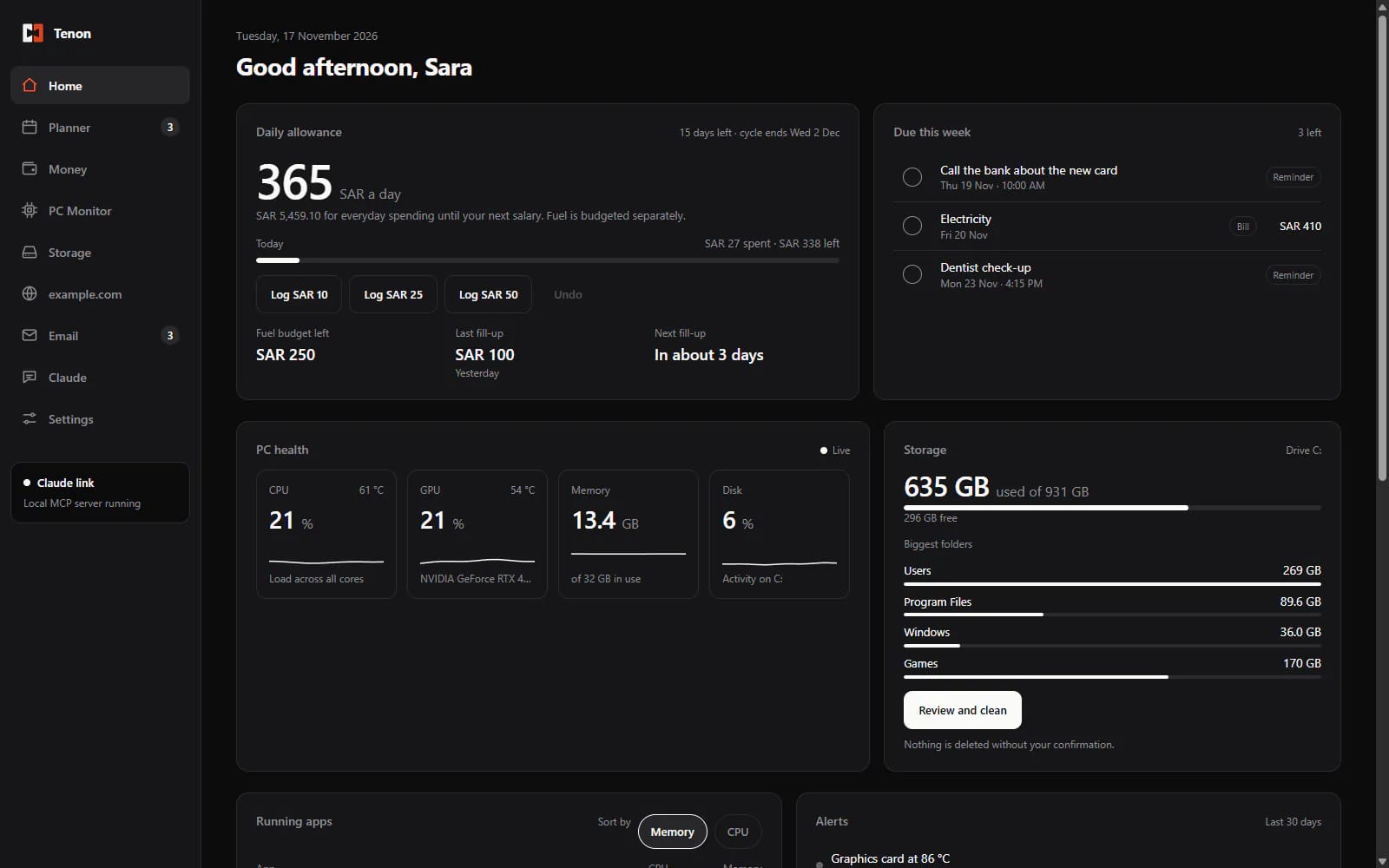
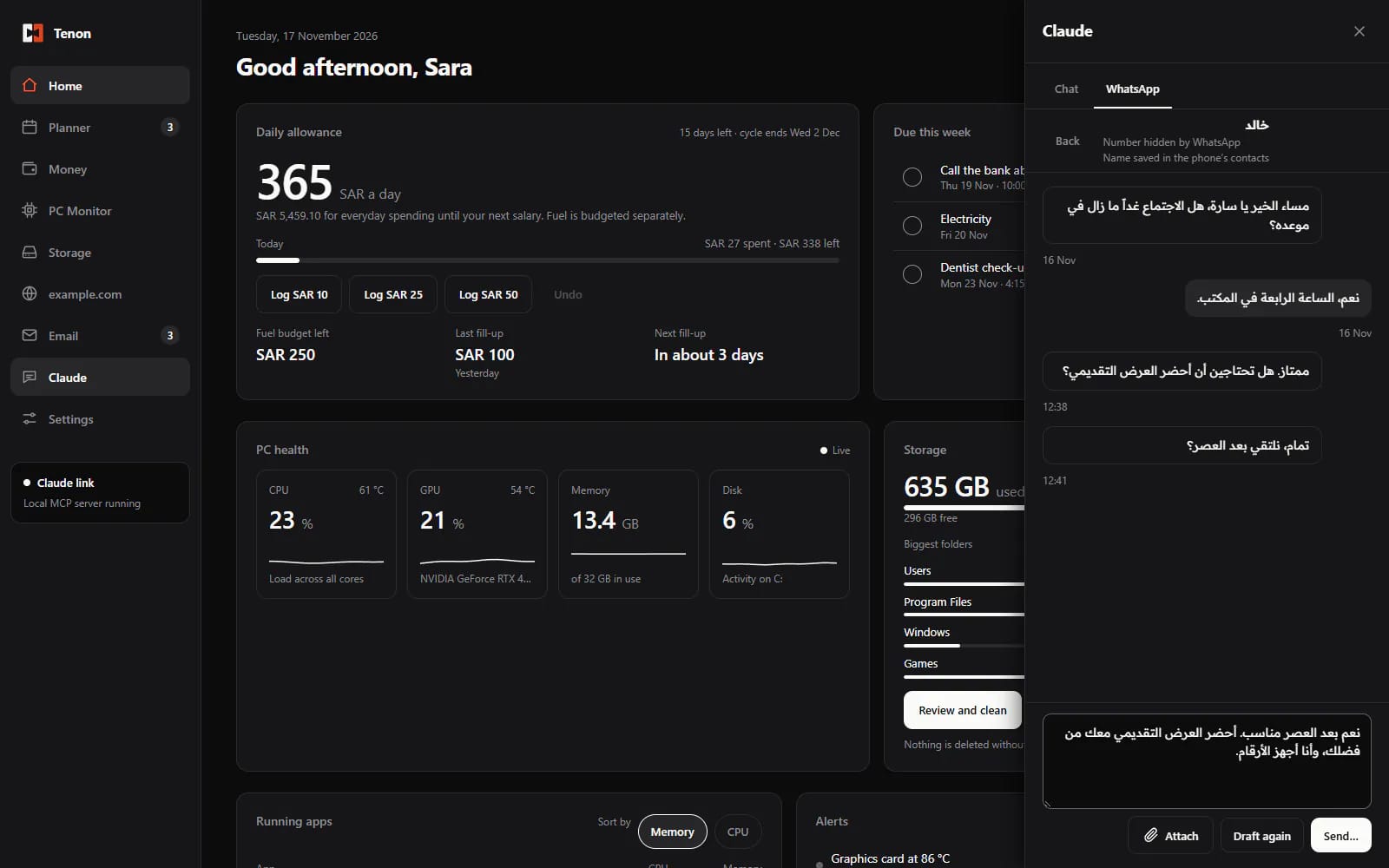
01Home
Your day at a glance: greeting, what's coming up, last fuel fill and recent alerts.
TENON — HOME
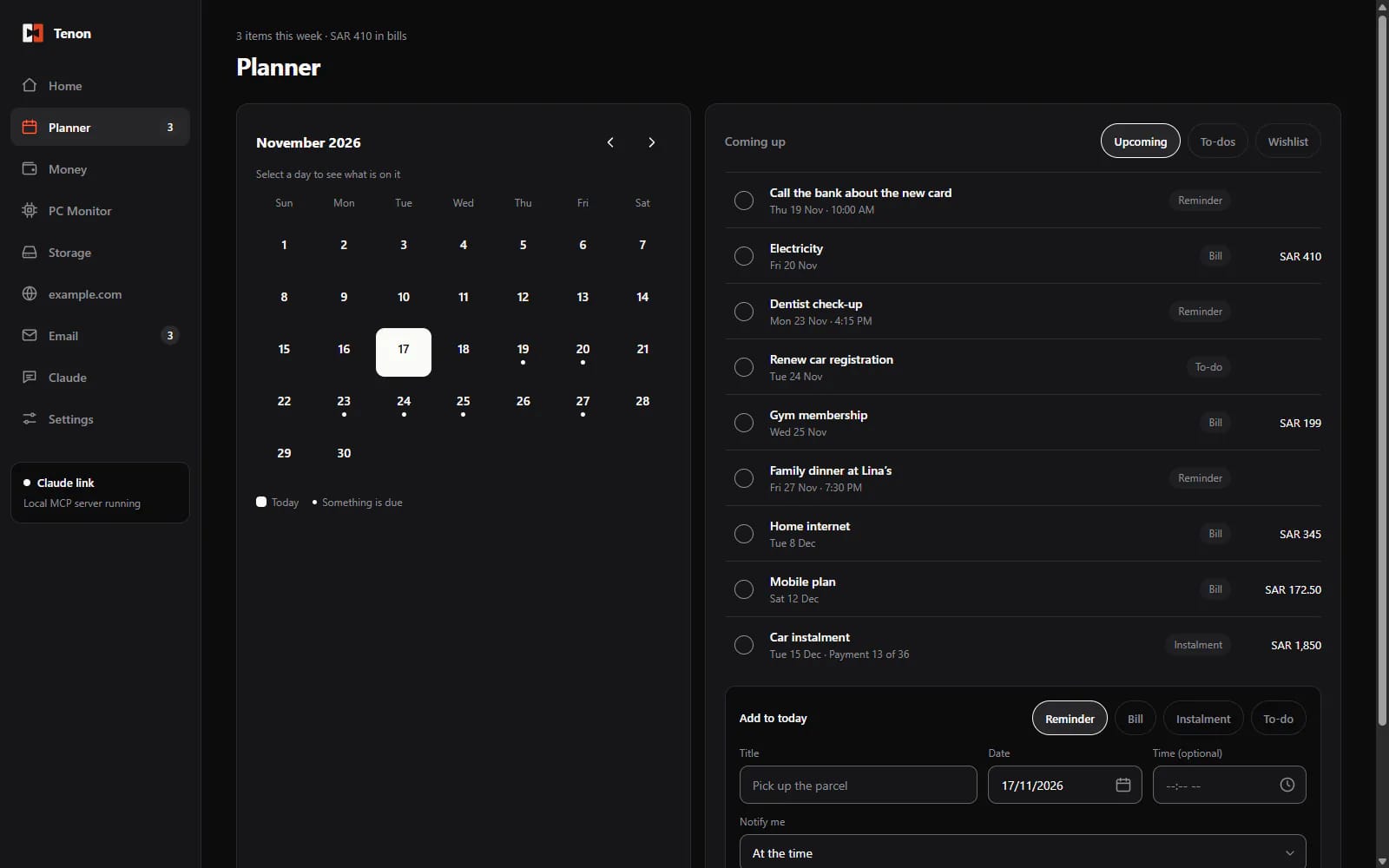
02Planner
To-dos, reminders, bills, instalments and a wishlist, with Windows notifications.
TENON — PLANNER
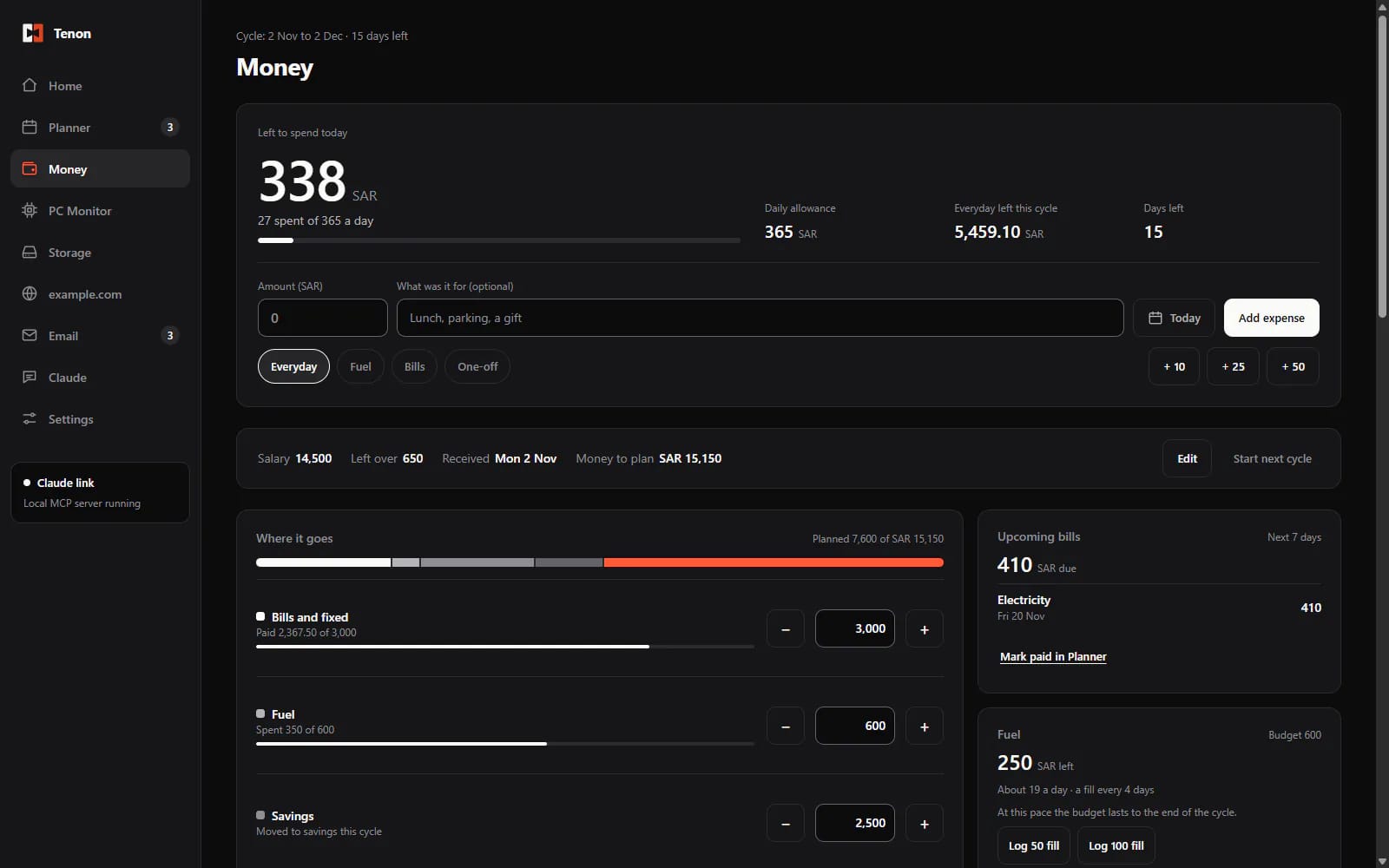
03Money
A spending plan per pay cycle in any currency. It shows what you can spend today, plus expenses, savings and fuel.
TENON — MONEY
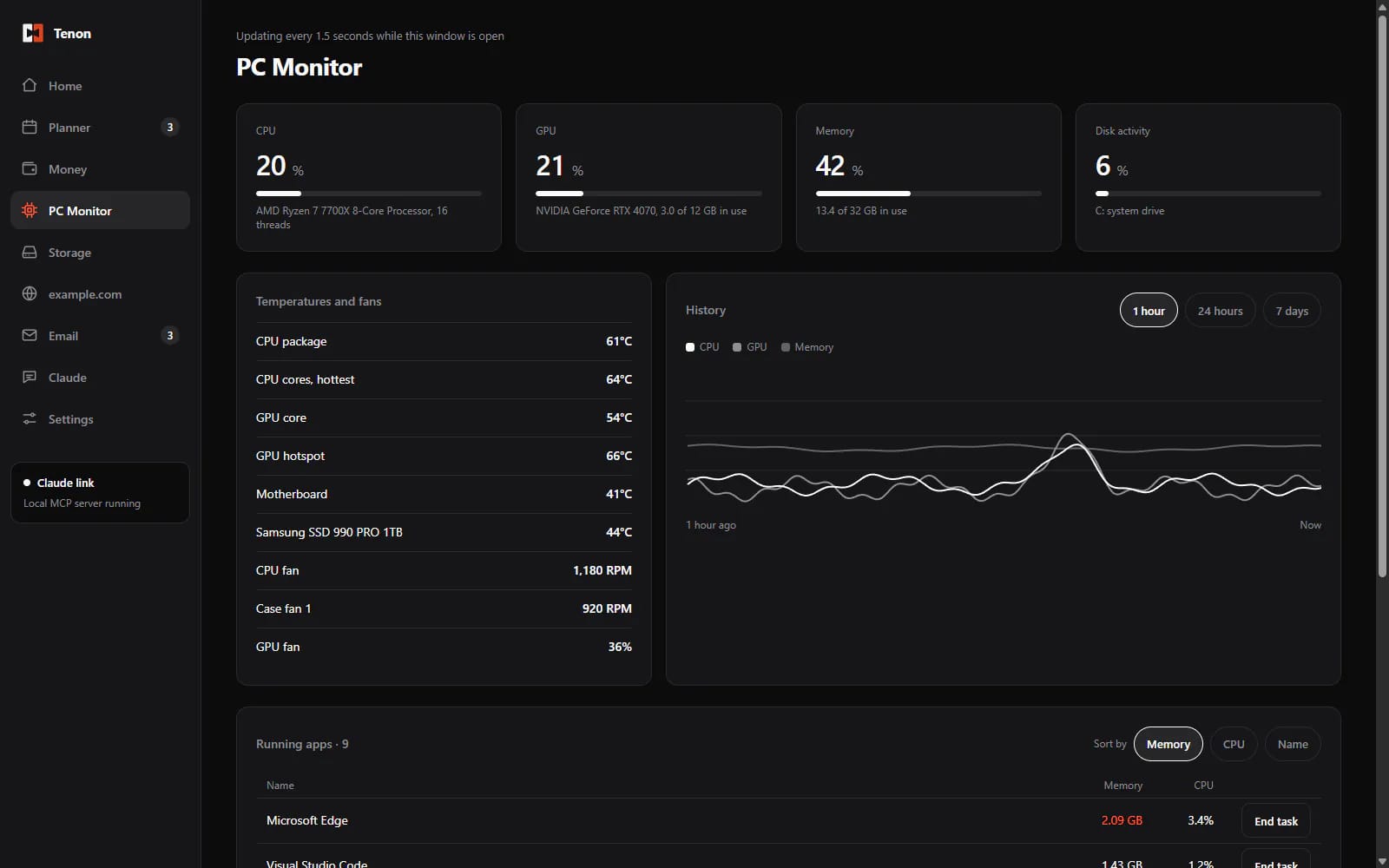
04PC Monitor
Live CPU, graphics card, memory, disks and temperatures, plus running apps with End task.
TENON — PC MONITOR
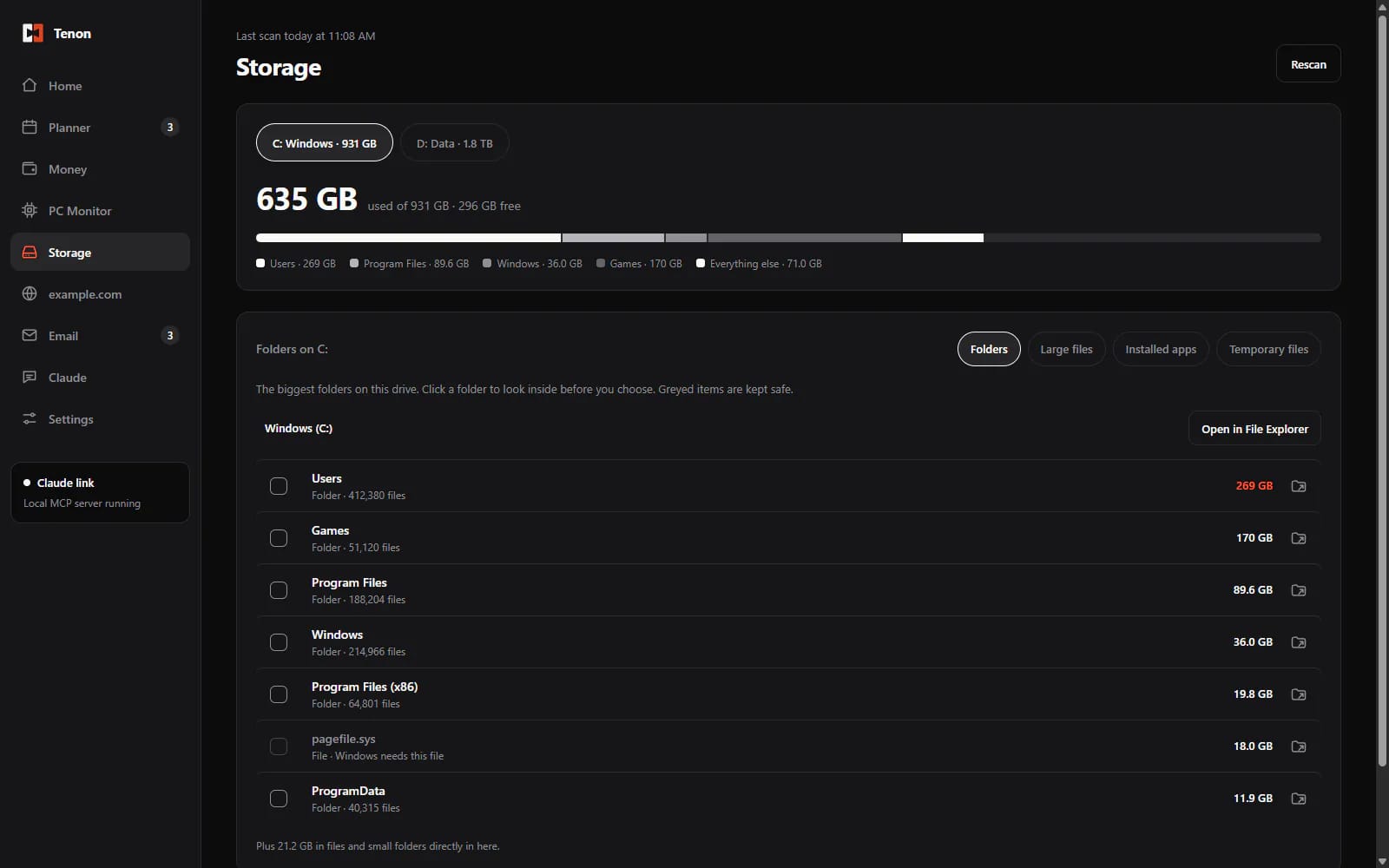
05Storage
See what fills each drive and clean up safely. Files go to the Recycle Bin, never deleted outright.
TENON — STORAGE
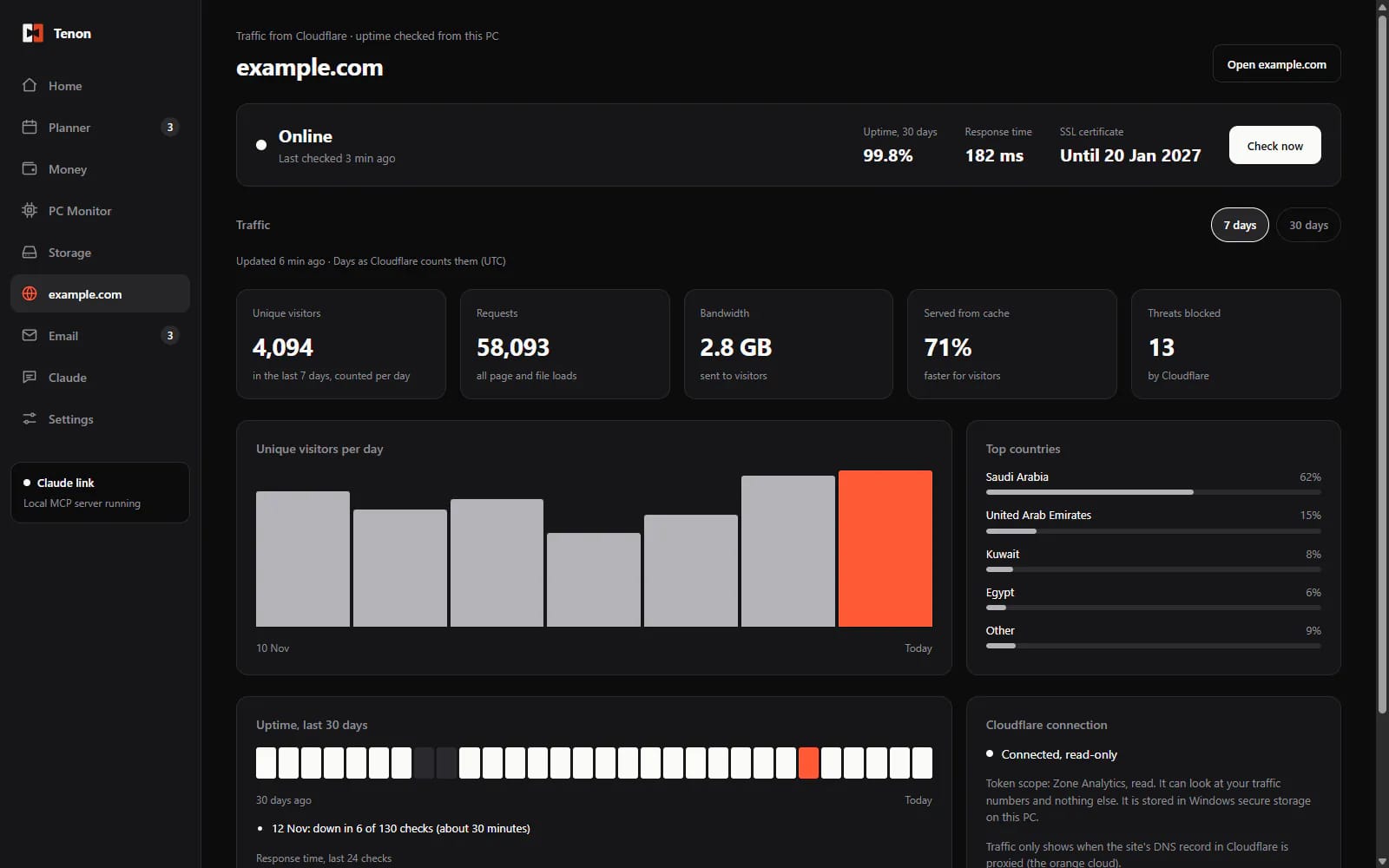
06Your website
Uptime and Cloudflare traffic for your own site.
TENON — YOUR WEBSITE
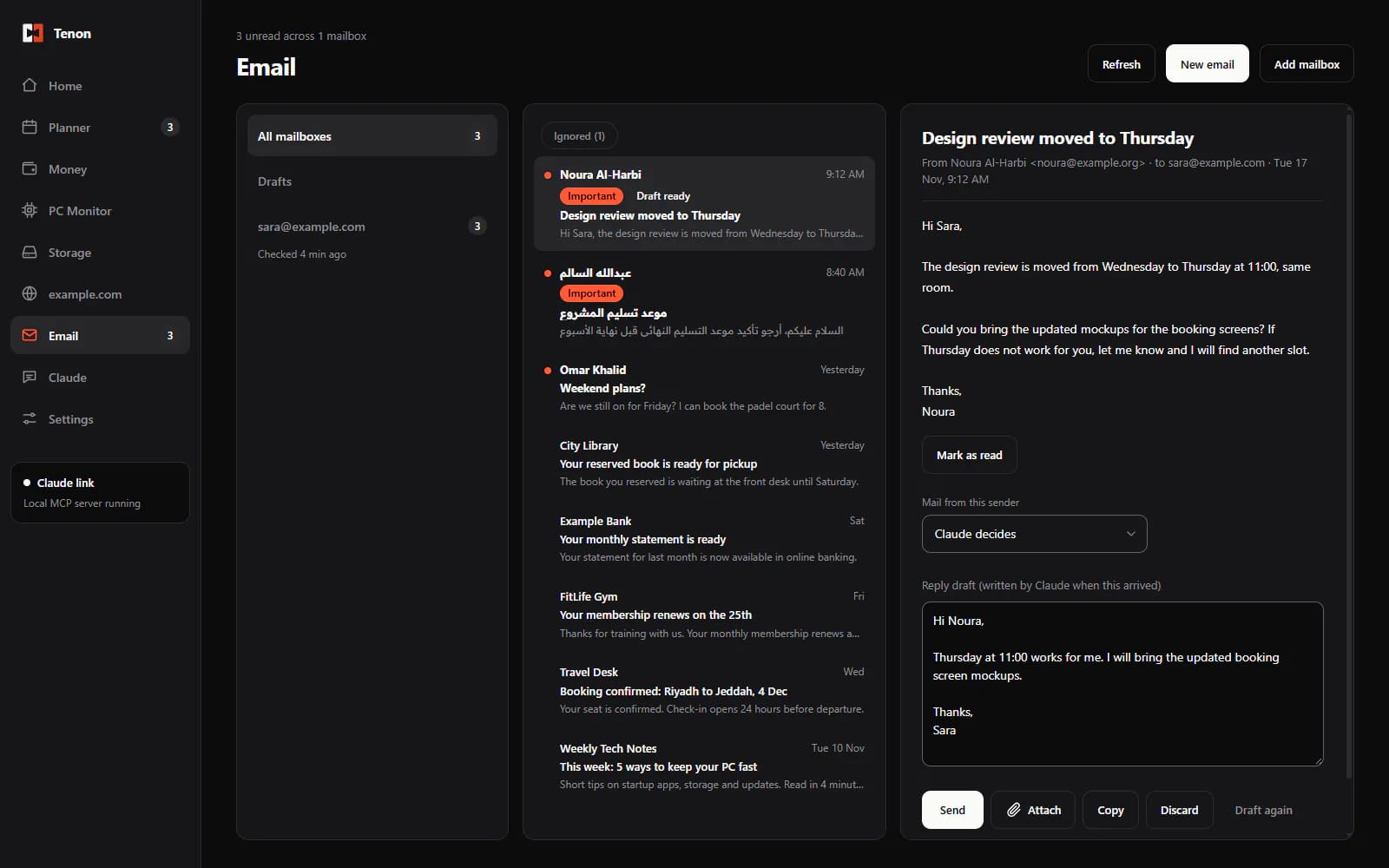
07Email
Gmail, Outlook, Yahoo, iCloud or any mailbox. Read, reply and write new emails, with Undo send.
TENON — EMAIL
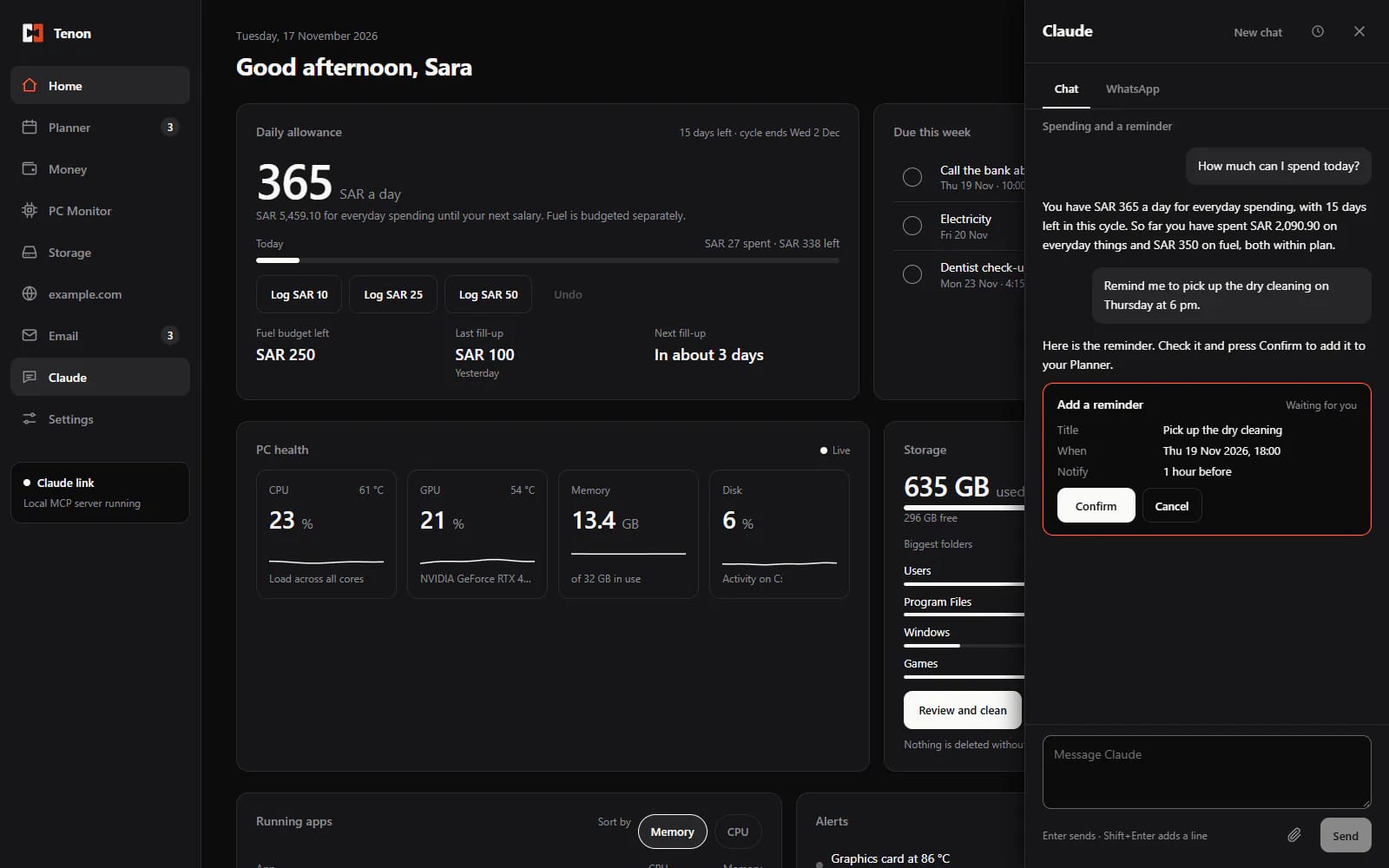
08AI panel
Chat with AI about your planner, money and PC. It can make changes after you confirm, and drafts replies in English or Arabic. Today it uses Claude (your own Claude Pro or Max plan). Other AIs, as agents, are coming in a future update.
TENON — AI PANEL
09WhatsAppOPTIONAL
Read and reply to WhatsApp chats inside Tenon through a separate add-on.
TENON — WHATSAPP
10Daily checkOFF UNTIL YOU SWITCH IT ON
Once a day it sorts new email and WhatsApp messages, skips ads, and drafts replies only where one is needed.
TENON — DAILY CHECK
SCREENSHOT · DAILY CHECK
11Alerts
Tells you when a drive is almost full, the PC runs hot, or your website stops answering.
TENON — ALERTS
SCREENSHOT · ALERTS
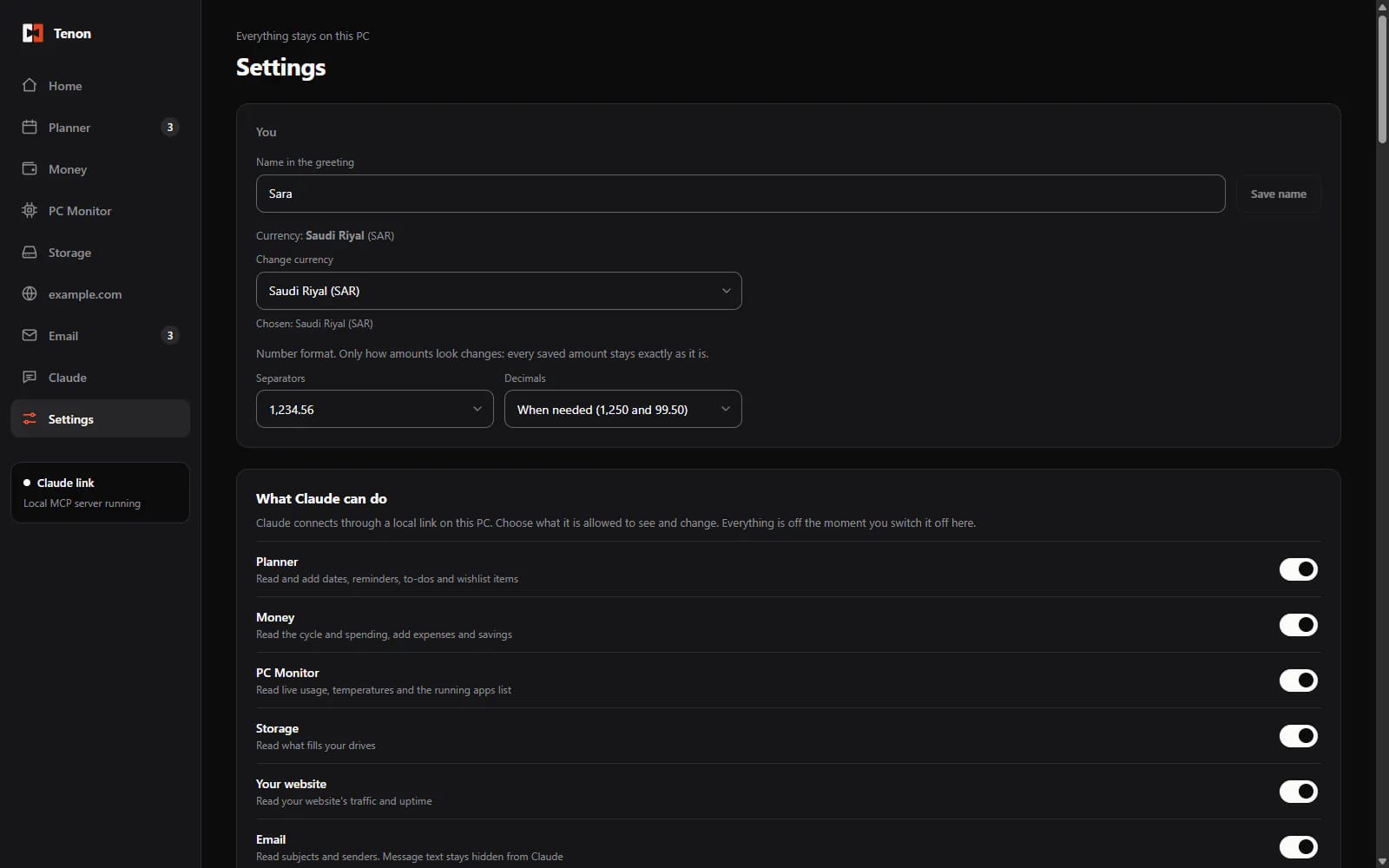
12Settings
Set everything up in one place.
TENON — SETTINGS
01 / 12
TENON — HOME—□×
SCREENSHOT · DAILY CHECK
SCREENSHOT · ALERTS
Updates itself
Download once. Tenon checks for updates, downloads them in the background, verifies each one, and shows What's new after updating.
Requirements
Windows 10 or Windows 11, 64-bit
Memory: about 90 MB when idle, up to about 230 MB in use
Disk space: about 330 MB once installed
Screen: room for a window of at least 1120 × 640 px
OPTIONAL EXTRAS
Admin permission for the temperature helperoptional
The free PawnIO driver for CPU temperaturesoptional
Claude Code with a Claude Pro or Max plan for the AI featuresoptional
A second phone number for the WhatsApp add-onoptional
CHANGELOG
v0.4.4
· current
Alerts when the CPU or graphics card stays hot, a drive is almost full, or your website stops answering, and again once it's back to normal.
Quiet hours (off until switched on): no notifications at night except the kinds you allow, and one short summary in the morning.
Tenon stays silent while Windows Do not disturb is on.
Settings > Alerts: switch each kind of alert on or off, with sound or silent.
New Alerts card on Home.
v0.4.3
New Money layout: what you can spend today and the add-expense bar come first.
Edit or delete any expense, also in past cycles, with Undo. A bill paid in Planner is never counted twice.
Fuel fills are spread over the days until your next fill.
Amounts get separators while you type, and you can choose the format.
Fixed: Updating the WhatsApp bridge no longer fails while WhatsApp is connected.
Fixed: Home now shows your newest fuel fill.
Fixed: Same-day expenses are listed newest first.
v0.4.2
Write new emails with To, Cc, Bcc, files and basic formatting. Unfinished emails are kept in Drafts, and Undo send gives you 10 seconds.
Daily check (off until switched on): sorts new email and WhatsApp messages, skips ads, and prepares reply drafts and Planner suggestions.
A signature per mailbox, and contact suggestions as you type.
Planner: the calendar and Coming up always sit side by side.
v0.4.1
Email sorting: AI marks new mail as Important, Normal or Ignore, and drafts replies only for important ones.
Send photos and files by email and WhatsApp, after a confirm screen that lists each file.
AI chat history with search, a model and effort picker, and image, PDF and file attachments.
Removing WhatsApp now also unlinks your phone.
Every dropdown in Tenon now uses the app's own style.
v0.4.0
Optional WhatsApp bridge: link a second WhatsApp number to Tenon.
WhatsApp chats in the AI panel, with AI-drafted replies. Nothing is sent until you click Send.
Messages are kept on your PC for 30 days (at most 500), with a Delete all button.
The bridge is a separate, signature-checked download. Tenon works the same without it.
v0.3.1
A sender name for each mailbox.
The Send screen shows which name and address your email comes from.
Replies get one “Re:”, never two.
v0.3.0
New AI panel (Claude): chat about your planner, money and PC. Nothing changes until you click Confirm.
AI-drafted email replies in Arabic or English, which you edit and send yourself.
Paste a WhatsApp message and get a drafted reply.
Arabic shows right to left in the Readex Pro font.
Fixed: The currency list now scrolls.
v0.2.4
Email: mailboxes, the message list and the reading pane sit side by side and fit the window.
A minimum window size so every page fits.
The currency picker closes after you choose.
PC Monitor's running apps list scrolls properly.
New “What's new” window after each update.
v0.2.3
The temperature helper shows Tenon's name, icon and version.
The helper runs without a window and closes with Tenon.
A clearer message when no CPU temperature is available.
v0.2.2
A welcome screen asks your name and currency.
Any currency is supported. Amounts are never converted.
Change your name or currency any time in Settings.
Email wording now fits every provider.
v0.2.1
Fixed: Home showed a second scrollbar.
Update messages no longer show a web address.
v0.2.0
Set your own website in Settings.
Email for Gmail, Yahoo, iCloud, Outlook, Hotmail and other mailboxes.
Safer data: Tenon won't open a damaged or newer data file.
Automatic updates: Tenon checks for new versions and asks before installing.
Requires Windows 10 or Windows 11, 64-bit. Updates itself, quietly.